Objective
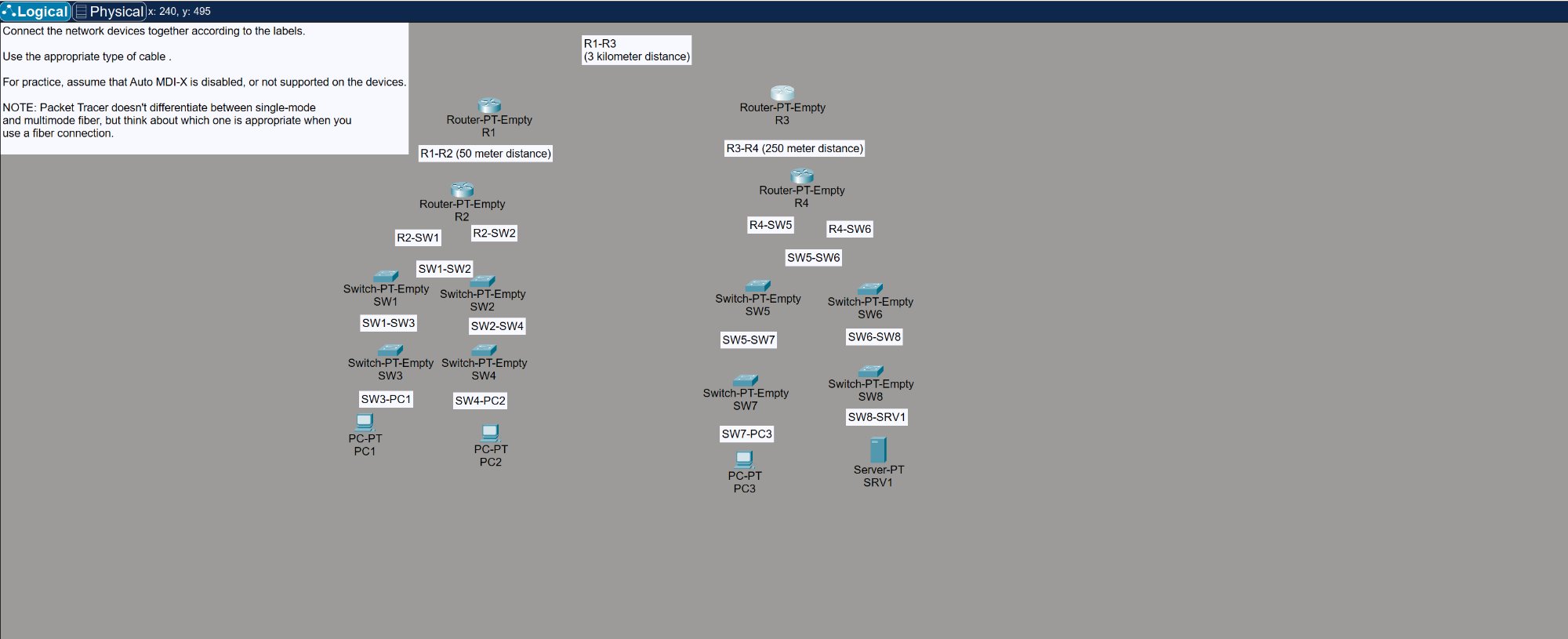
Connect a full multi-site network topology in Packet Tracer using the correct cable type for each connection. The lab starts with all devices placed but completely unconnected — the task is to identify what cable goes where based on device type, port type, and distance.
Auto MDI-X is disabled, so cable selection actually matters. You have to think about whether each link needs straight-through, crossover, or fiber.
Topology
Two sites connected by WAN links through four routers:
Site 1 (Left):
- R1 → R2 (50 meter distance)
- R2 → SW1 and SW2 via distribution links
- SW1 ↔ SW2 (switch-to-switch interconnect)
- SW1 → SW3, SW2 → SW4 (access layer)
- SW3 → PC1, SW4 → PC2 (end devices)
Site 2 (Right):
- R3 → R4 (250 meter distance)
- R4 → SW5 and SW6 via distribution links
- SW5 ↔ SW6 (switch-to-switch interconnect)
- SW5 → SW7, SW6 → SW8 (access layer)
- SW7 → PC3, SW8 → SRV1 (end devices)
WAN:
- R1 → R3 (3 kilometer distance)
Cable Selection Logic
Straight-Through (Copper)
Used for unlike devices — router to switch, switch to PC, switch to server:
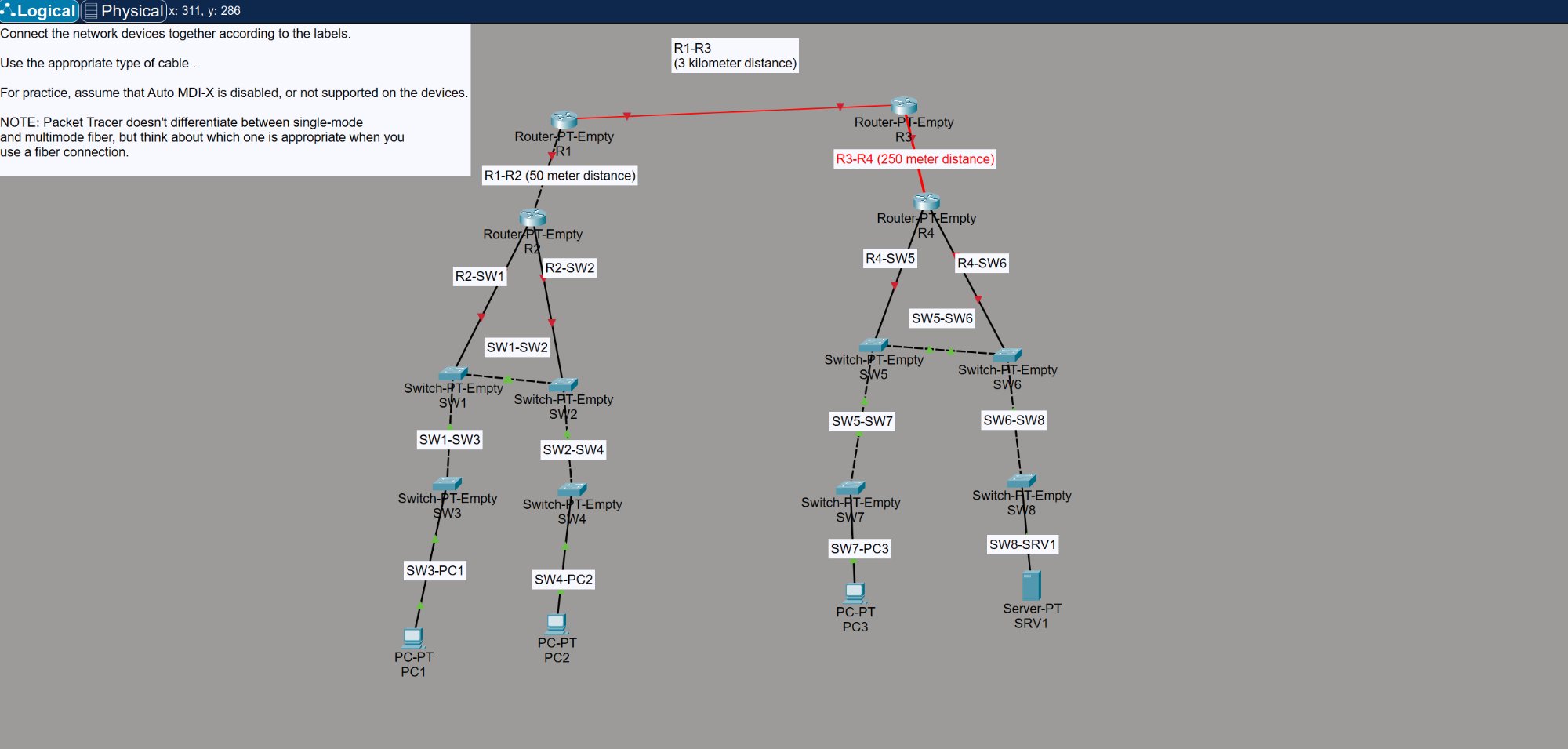
- R2 → SW1, R2 → SW2
- R4 → SW5, R4 → SW6
- SW3 → PC1, SW4 → PC2
- SW7 → PC3, SW8 → SRV1
Crossover (Copper)
Used for like devices — switch to switch, router to router (short distance):
- SW1 ↔ SW2, SW1 → SW3, SW2 → SW4
- SW5 ↔ SW6, SW5 → SW7, SW6 → SW8
- R1 → R2 (50m — copper is fine at this distance)
Fiber
Used for long distance links where copper can’t reach:
- R3 → R4 (250 meters) — exceeds the 100m limit for copper Ethernet, needs fiber
- R1 → R3 (3 kilometers) — definitely fiber, likely single-mode at this distance
Key Takeaways
- 100 meters is the max for copper Ethernet (Cat5e/Cat6) — anything beyond that needs fiber
- Multimode fiber works for shorter runs (up to ~550m for 1Gbps)
- Single-mode fiber is for long hauls (kilometers) — the R1-R3 link at 3km would use this
- With Auto MDI-X disabled, using the wrong cable type means the link stays down — red indicators in Packet Tracer make this obvious
- The green triangles on each port confirm the link is up and the correct cable was used